

We are often asked which Cape Town coworking spaces suit digital nomads who are staying beyond a holiday. Our advice is to choose the workspace and accommodation together. A good desk on the other side of the city can become an expensive daily commute.
Use this shortlist to compare locations, then confirm access, current rates and call facilities directly. The operator pages were checked on 4 October 2026. A listing here is not a promise of an available desk or a particular WiFi speed.
Cape Town’s beaches, mountains and restaurants make it tempting to fit plenty around work. A realistic routine also needs reliable WiFi, power for your laptop and a place where calls will not disturb others. Our Cape Town digital nomad guide covers the wider planning.

Cape Town Coworking at a Glance
- V&A Waterfront: Workshop17 Watershed, with Cube also offering a Waterfront location. Compare the journey from Sea Point or Green Point.
- Gardens and the East City: Workshop17 Kloof Street and Cape Town Office for a City Bowl working routine.
- Central city and De Waterkant: Neighbourgood Work Club, Ideas Cartel and WeWork provide options to investigate.
- Southern Suburbs: Workshop17 Newlands and Cube Rondebosch may make more sense if you are staying nearby.
- Century City: Workshop17 has a location here, useful to consider when your accommodation or meetings are in that area.
Before choosing a hotel, apartment or coliving base, compare our best areas to stay in Cape Town for remote workers. Check the exact route to your workspace, not just the neighbourhood name.
9 Cape Town Coworking Spaces and Options to Compare
1. Workshop17 Watershed, V&A Waterfront
The Watershed location is at 17 Dock Road, above the craft market at the V&A Waterfront. Its current operator page lists hot desks, private offices, phone booths and meeting rooms. It is a practical option to compare when you want workspace access near the Waterfront.
Choose the membership that fits your hours. Some plans are hour-limited, while others provide broader hot-desk access. Check meeting-room charges, deposits and VAT rather than assuming everything is included.
2. Cube Workspace, Cape Town Locations
Cube’s Pay As You Work page lists Cape Town CBD, Rondebosch and V&A Waterfront workspaces. The published day-access hours are Monday to Friday, 08:00 to 17:00, excluding public holidays. Confirm the specific branch and a desk for your dates before arriving.
Cube also offers office and meeting-room solutions. Ask whether your chosen package covers calls, a boardroom or only the shared workspace. A virtual-office address is not the same as somewhere to work all day.
3. Ideas Cartel
Ideas Cartel’s current coworking page includes The Old Foundry and Claremont, with day, weekly, monthly and fixed-desk options. The Old Foundry is worth comparing for a Green Point base, while Claremont suits a different commuting pattern.
Check which facilities belong to your package. Its lighter membership is not a full-day desk plan, and day access differs from longer memberships. Ask about private calls and meeting-room charges.
4. Neighbourgood Work Club
Neighbourgood Work Club offers a city-wide network including 93 and 129 Bree Street, Harrington Street and Cape Quarter. It is an option to investigate if you want flexibility between central Cape Town workspaces.
Compare the actual membership term, not only the “from” price. Check renewal and cancellation conditions, access at each location, meeting-room arrangements and which plan fits your length of stay.

5. Workshop17 Kloof Street, Gardens
Workshop17 Kloof Street is based around 32 Kloof Street and the Long Kloof precinct. Restaurants and everyday City Bowl errands can fit around work here, making it a useful location to compare with accommodation in Gardens or Tamboerskloof.
Check your walking route and the access hours for the membership you are considering. Do not assume a nearby café is suitable for every call or a whole day of laptop work.
6. Cape Town Office, Roeland Street
Cape Town Office is on the third floor of 62 Roeland Street in the East City. Its operator lists flexible and dedicated-desk memberships, team space, day access and inverter backup.
This is worth considering when you prefer a regular office routine rather than changing café tables. Confirm day-pass arrangements, call space and what the backup system supports during an interruption.
7. WeWork, 80 Strand Street
WeWork’s Cape Town location is at 80 Strand Street in the city centre. Its current page lists private offices, meeting spaces, phone booths and a backup generator.
Ask which short-stay or membership products are available for your dates. A building with coworking facilities does not automatically mean unrestricted walk-in day access. Check room booking and access rules before committing.
8. Workshop17 Newlands Cricket Ground
Workshop17 Newlands gives you a Southern Suburbs option rather than a central-city commute. Consider it when your accommodation or meetings are in Newlands or nearby, then check the actual travel time at your working hours.
Compare the membership inclusions with how often you will use the space. If you need regular private meetings, ask about availability and charges rather than budgeting only for a desk.
9. Workshop17 Century City
Workshop17 Century City is another location to compare if your base or clients are in that part of Cape Town. It need not be the best fit for someone whose daily life is centred on Sea Point or Gardens.
Price the journey as well as the workspace. For any multi-location membership, confirm whether access to another branch is included or costs extra.
What to Check Before Booking a Desk
- WiFi: ask about upload as well as download performance, and test your own calls if possible.
- Power: confirm whether backup covers the internet, sockets, lights and any equipment you need.
- Calls: check phone-booth rules, private-room booking and whether meetings cost extra.
- Hours: distinguish visitor hours from member access, especially evenings, weekends and public holidays.
- Price: check VAT, deposits, usage limits, renewal and cancellation terms.
- Commute: consider daylight walking routes, transport and the journey home after evening calls.
Day Pass or Monthly Membership?
A day pass can be useful while testing the space or when your accommodation already has a good desk. For regular use, compare the total number of working days against weekly, flexible and monthly plans. Avoid buying a longer commitment just to get a lower advertised monthly rate.
Use our Cape Town cost-of-living guide to budget for the workspace alongside accommodation and transport. Keep a mobile backup, but check coverage, data limits and hotspot support. You can compare an eSIM option before arrival without assuming it replaces reliable WiFi.
Coworking and Accommodation for Summer 2026/27
For December to February, plan the accommodation date range first, particularly across Christmas and New Year. Ask workspaces about holiday hours and reservations. Our Cape Town summer guide explains the seasonal planning, while the best-time-to-visit guide compares the rest of the year.
If you want a work-friendly place to stay with community, explore Cape Town coliving or our Cape Town coliving workation. Send your dates, length of stay, approximate budget and preferred accommodation type so we can help you compare suitable options.
We receive a referral fee from some Cape Town accommodation partners; you pay the same rate. Confirm the desk, WiFi and backup-power setup for the specific property rather than assuming every coliving stay includes a coworking membership.
Community, Time Zones and Staying Longer
Cape Town uses UTC+2 throughout the year. It is one hour ahead of Central European Time in the European winter and matches Central European Summer Time. Check your team’s daylight-saving dates when setting calls, rather than assuming the clocks always match.
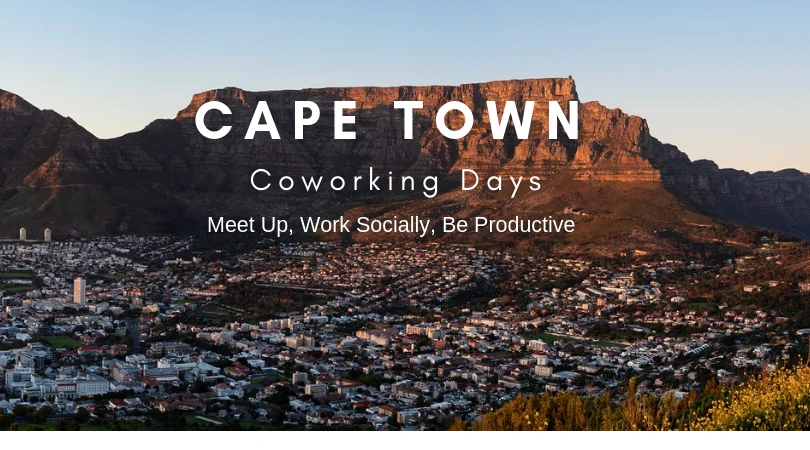
Coworking can help you meet people, but work time and community activities are different needs. Keep space for focused work, then use the community invitation below to connect with other remote workers.
For a longer stay, check our South Africa digital nomad visa guide and the official requirements. If your trip continues into nature, explore the South Africa rural retreat and Kruger Park WiFi guide before relying on connectivity during safari travel.
Cape Town Coworking FAQs
Can I get a coworking day pass in Cape Town?
Several operators publish short-use options, but booking rules and hours vary by location. Check the actual branch, date and facilities you need before arriving.
Do all coworking spaces have backup power?
Do not assume so. Ask what the system powers and whether the internet connection remains working. A backup for lights alone may not cover your laptop or the network equipment.
Should I stay near my coworking space?
Usually it makes the routine simpler. Compare accommodation, groceries and transport together, especially if you need evening access or do not want a car.
Can I just work from cafés?
Cafés can suit shorter laptop sessions, but policies, sockets, noise and call privacy vary. Use a proper workspace when your workload needs predictable conditions.
Our Other Useful Guides:
- Cape Town Digital Nomad Guide
- Flights to Cape Town
- Cape Town Cost of Living
- Digital Nomad Adventures in South Africa
- Cape Town in Summer
- What Are Coliving Spaces for Digital Nomads?
- Best Areas to Stay in Cape Town
- South Africa Digital Nomad Visa
To connect with other digital nomads and remote workers to cowork in different locations around Cape Town, join the local FREE CoWorking Days digital nomad meet up community or join us on our next Cape Town Coliving Retreat.
Before buying travel insurance, check the policy’s activities, exclusions and length-of-stay rules against your plans. Some links are affiliate links. We may earn a commission at no extra cost to you.